The mode decides where Sentry looks and when it sounds an alarm. Choose it with the mode button in the menu.
The three modes on a vessel
| Mode | Use it | Camera | Alarms |
|---|---|---|---|
| Collision Avoidance | Underway | Pans automatically ahead. Panning width: 50°, 90° or 180°. | On. Threat by distance, bearing and size. |
| Surveillance | At anchor, in port, at a mooring | Pans 360° around the vessel. One turn takes 30 s (fast) or 110 s (slow). | On. Threat by distance only: you set the danger and warning distance. |
| Camera Control | Look at something, follow a target | You steer it. You can track a detection. | Off. Detections stay on, all as blue boxes. |
Change the panning width, the panning speed and the surveillance distances in Settings › Modes.
Mute
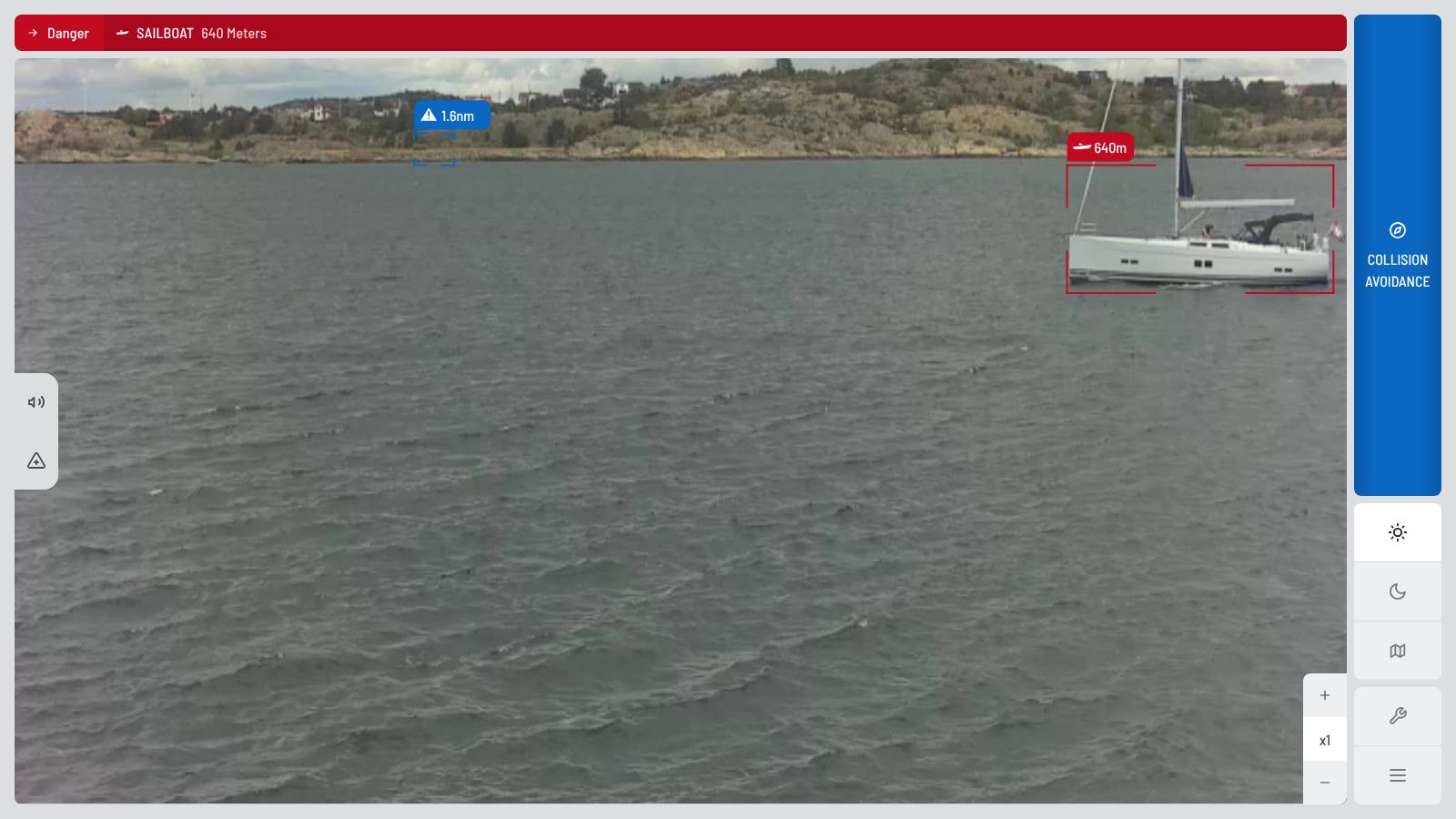
Select . The sound stops . The red box and the bar stay. Select it again to switch the sound on.
Voice alarms
For a danger, a voice tells you the direction. A warning is always a beep. Switch the voice on or off in Settings › Personalization › Sounds › Voice Alarms. When it is off, you hear beeps only.
| Level | Listen |
|---|---|
| Danger | |
| Warning | |
| Danger, Voice Alarms off |
Alarms on other devices
Settings › Personalization › Sounds: MFD alarms (Raymarine, B&G, Simrad), NMEA 2000 buzzer or Garmin MFD. Buzzers need an NMEA 2000 gateway (see Connect to the boat).
On land
On a fixed site on land, Sentry has the modes Camera Control, Sector Watch and Area Surveillance. See Land Operation.