Sentry also watches the water from a fixed site on land: a coast, a port, a pier. On land it has other modes and settings than on a vessel.
Installers: set up a site on land in Commission the system.
The three modes on land
| Mode | Camera | Alarms |
|---|---|---|
| Camera Control | You steer it. | Off. Detections stay on as blue boxes. |
| Sector Watch | Pans automatically. | Only for objects in the sectors and the distance range you choose. |
| Area Surveillance | Pans automatically. | Only for objects in the areas you draw in the image. |
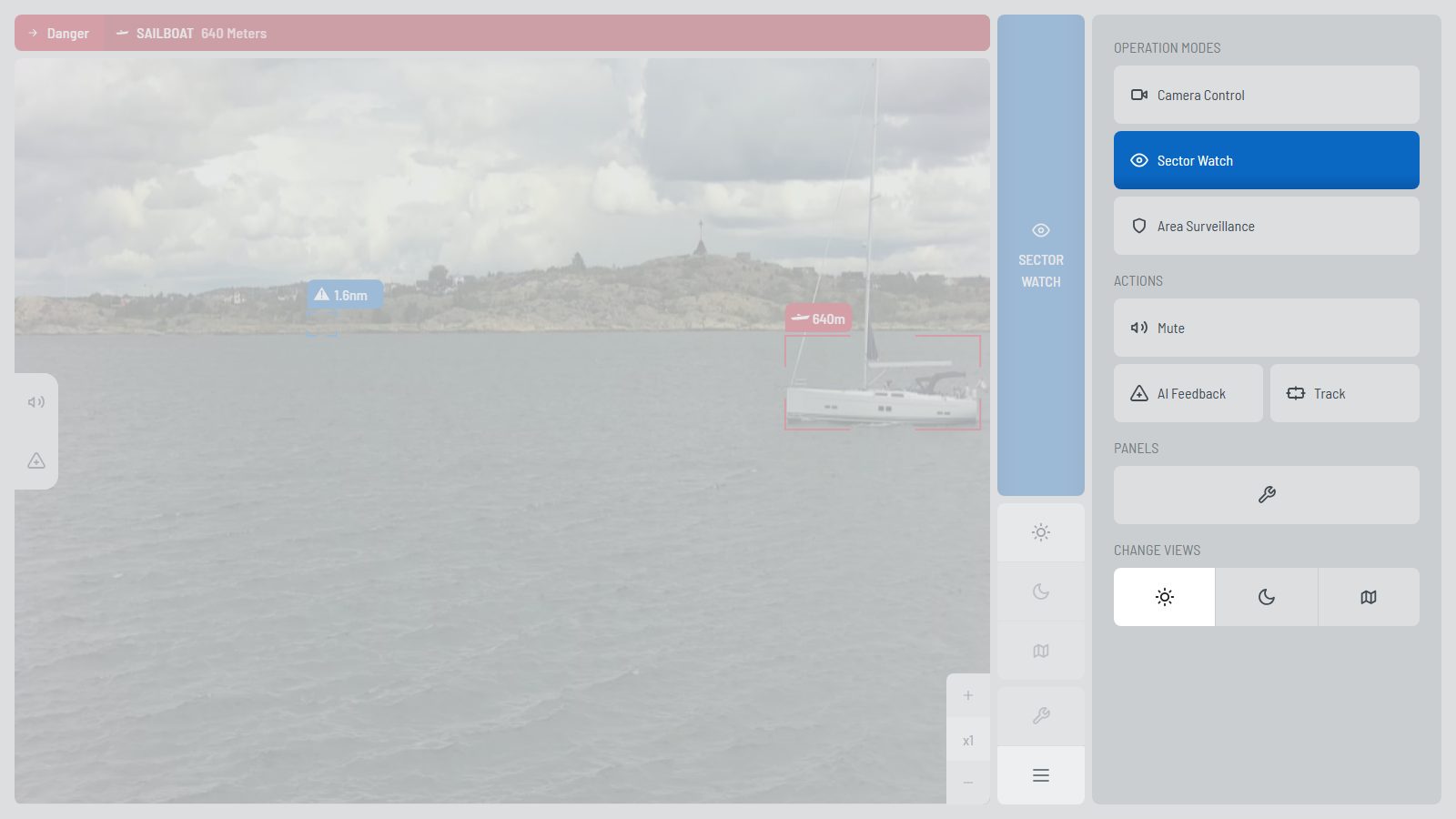
Sector Watch and Area Surveillance need an active AI subscription, like all AI functions (see Your Sentry).
Choose the mode with the mode button in the menu. Set the panning speed (Slow, Medium, Fast) in Settings › Modes › Land Operation Modes.
Sector Watch: choose the sectors
- Open Settings › Modes › Sector Watch › Sector Selection.
- The ring has 36 sectors of 10°. The top is the Home Heading. The grey arc shows where the camera looks now.
- Select a sector to switch it on or off. Drag over the ring to select several sectors at once.
- Set the minimum and maximum distance with the slider. The longest setting is Horizon.
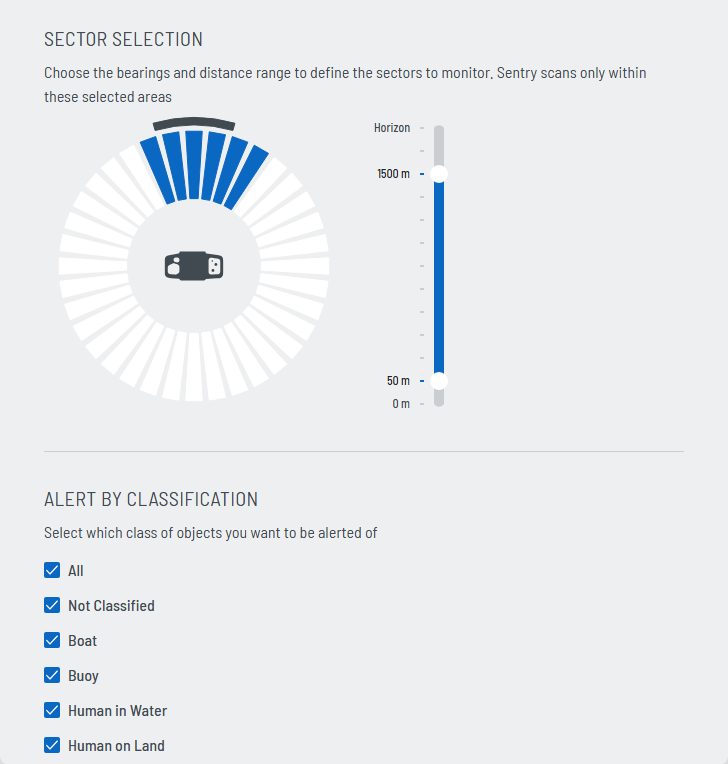
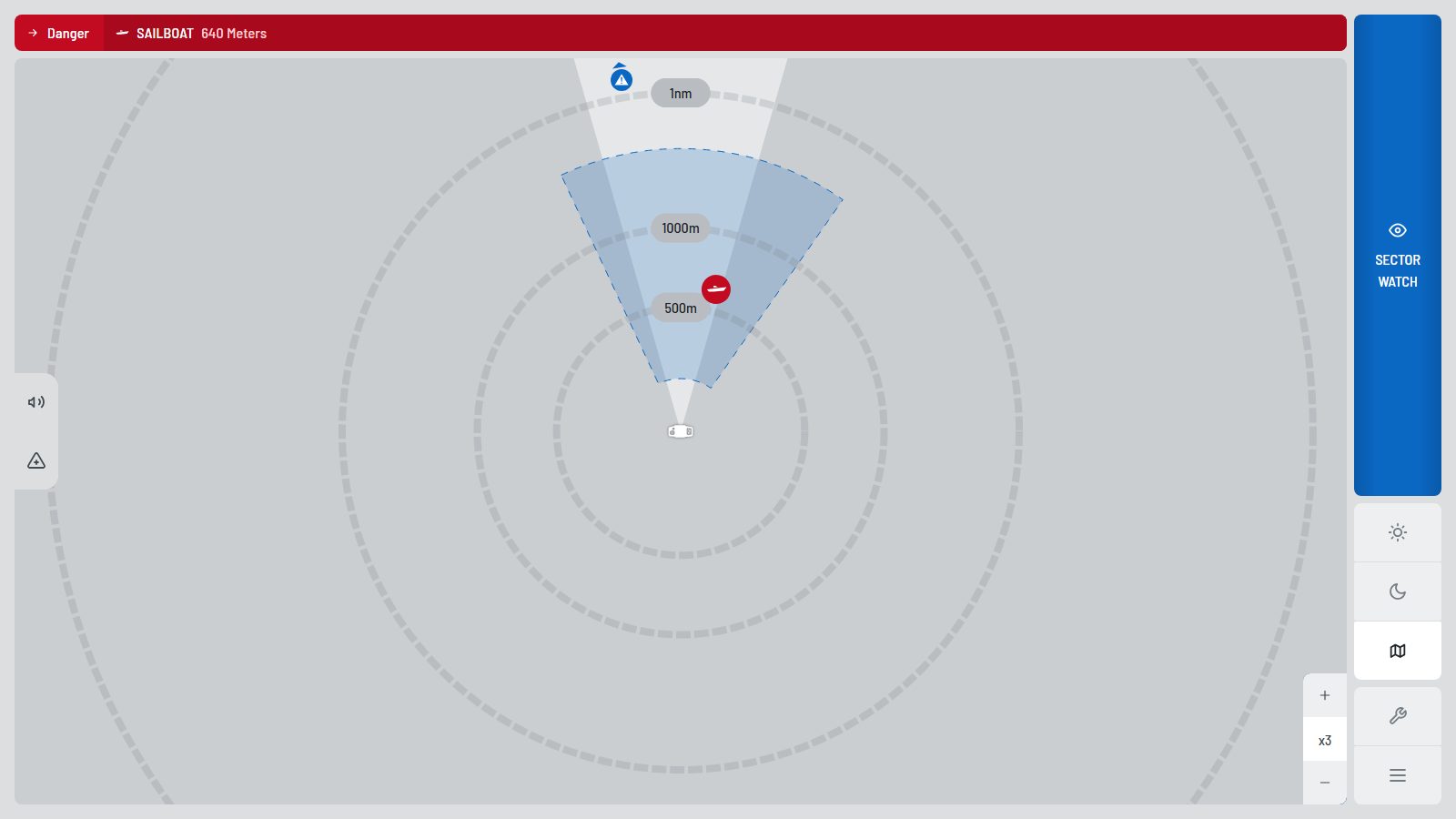
Without a selected sector, Sentry cannot watch: the ring turns red. In Sector Watch, the map shows the selected sectors as a ring between the two distances.
Area Surveillance: draw the areas
Use a PC or a tablet. Drawing does not work on a phone.
- Open Settings › Modes › Area Surveillance › Area Selection.
- No image yet? Select Run Camera Diagnostic and wait for the panorama.
- Select Draw Area Selections. The 360° panorama opens full screen. The compass strip at the bottom shows the bearings.
- Click 3 or more points around the area. Click the first point again to close it. Right-click or
Ctrl+Zremoves the last point. - The area gets a name (Access 1, Access 2, …). Drag a point to change the shape. Click outside the area to save.
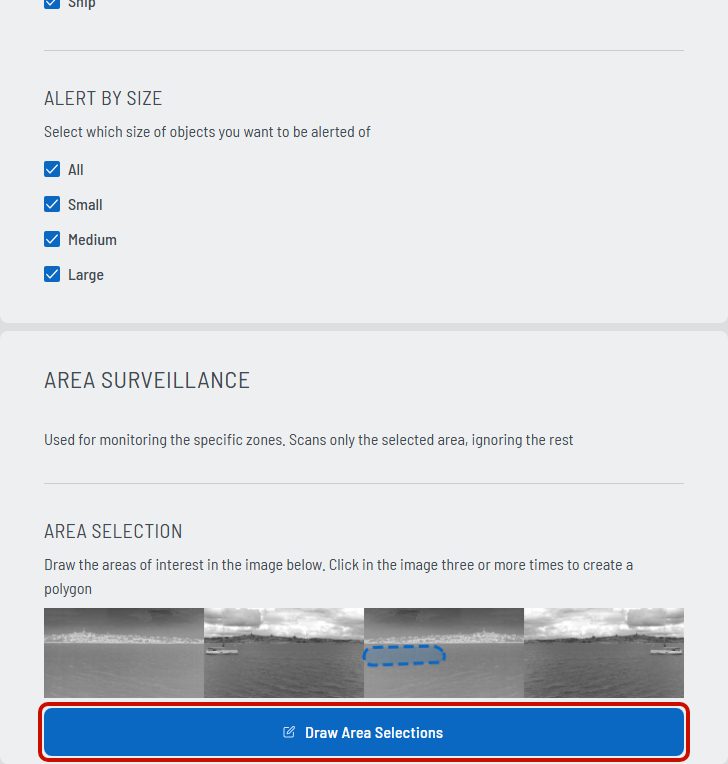
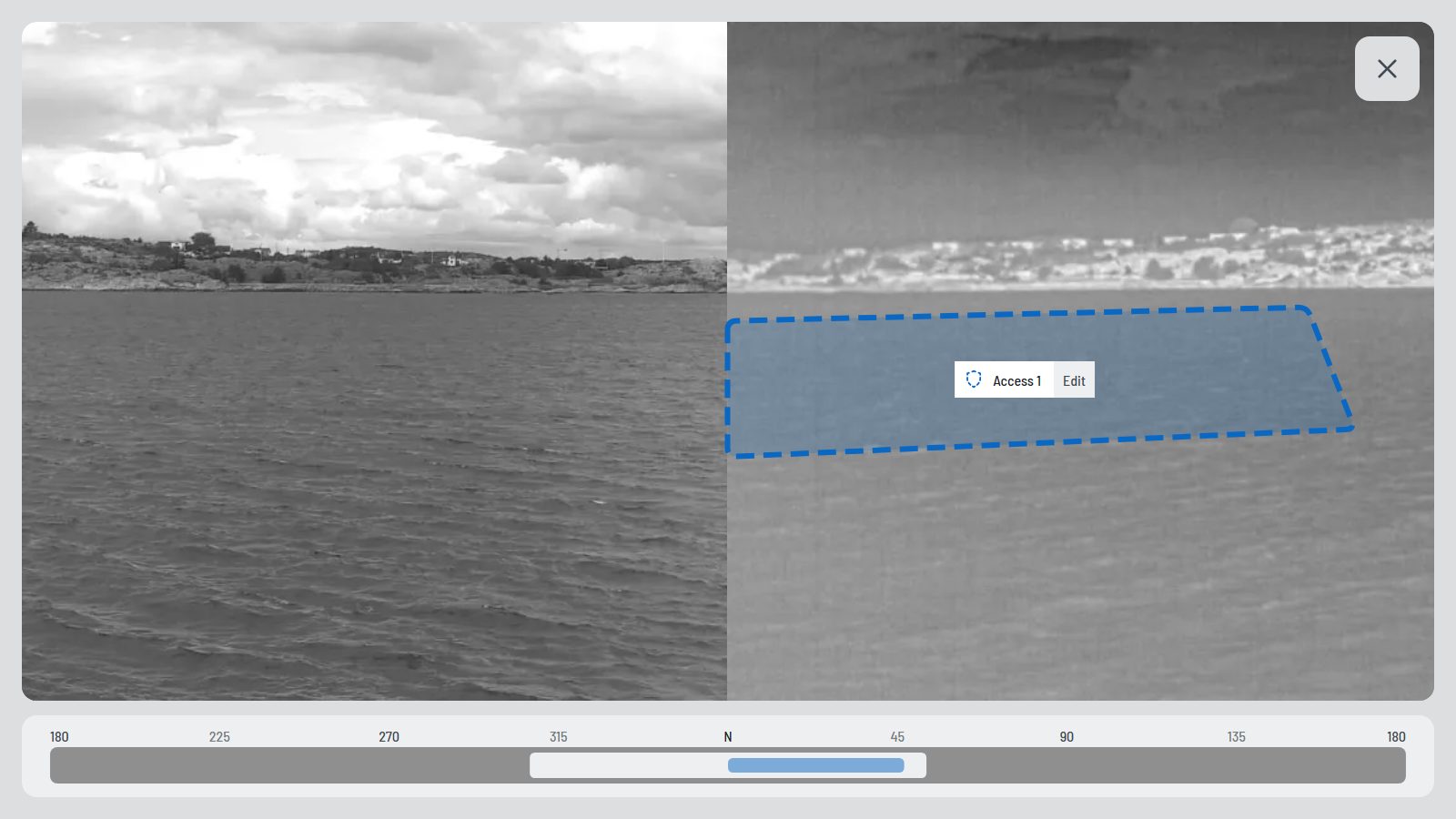
Select Edit on an area to change its name and its alarm filters, or to delete it (Remove area). Deleting cannot be undone.
Alarm filters
Choose which objects raise an alarm. Sector Watch has one filter for all sectors. Area Surveillance has one filter per area.
| Filter | Options |
|---|---|
| Alert by classification | All, Not Classified, Boat, Buoy, Human in Water, Human on Land, Sailing Boat, Ship |
| Alert by size | All, Small, Medium, Large |
At least one option stays selected.
Differences to a vessel
- No boat data: the NMEA 2000 settings are hidden.
- No sound settings: Settings › Personalization › Sounds is hidden.
- The map shows Sentry at its fixed position instead of a boat.