- Make sure Sentry can turn and tilt freely. Then switch on. Wait up to 3 minutes.
- Open the app (see Connect and get started).
- Log in as installer, or activate with the Product Key.
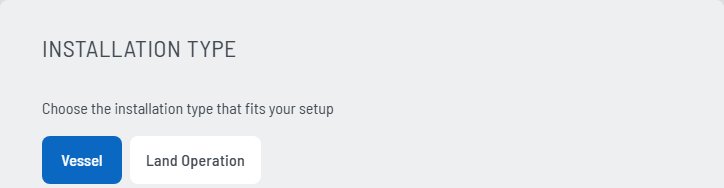
- Choose the installation type: Vessel or Land Operation.
- Enter the vessel parameters. On land: the position parameters and the Home Heading.
- Create the obstruction mask, if parts of the vessel are in view.
- Vessel only: set up the NMEA 2000 gateway (see Connect to the boat).
Log in as installer
Settings › Setup › Service & Installation Access › Login As Installer. SEA.AI service gives you the password: service@sea.ai. The app then shows SERVICE MODE.
Installation type
The installer chooses it once in Settings › Setup › Installation Type. Vessel gives the modes Collision Avoidance and Surveillance. Land Operation gives Sector Watch and Area Surveillance.
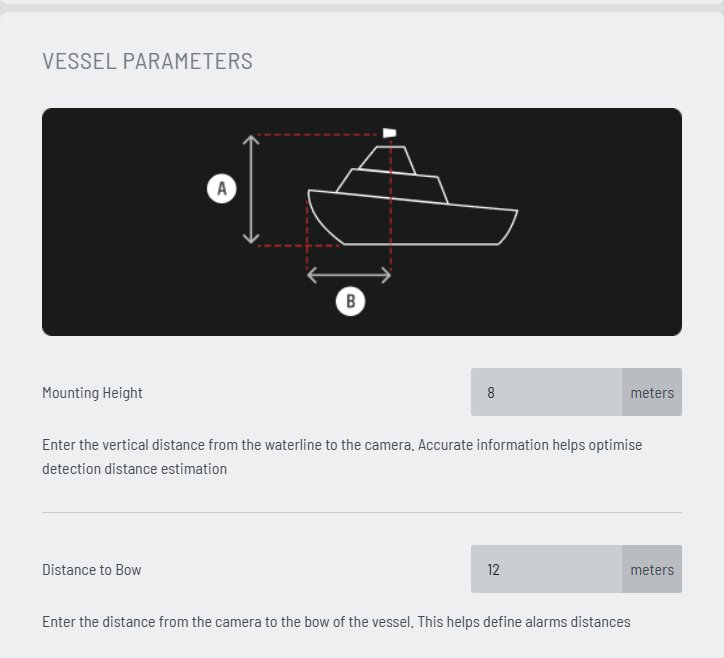
Vessel parameters
- Mounting Height (A): from the waterline to the camera, in meters.
- Distance to Bow (B): from the camera to the bow, in meters.
Both values are needed for correct distances and alarms.
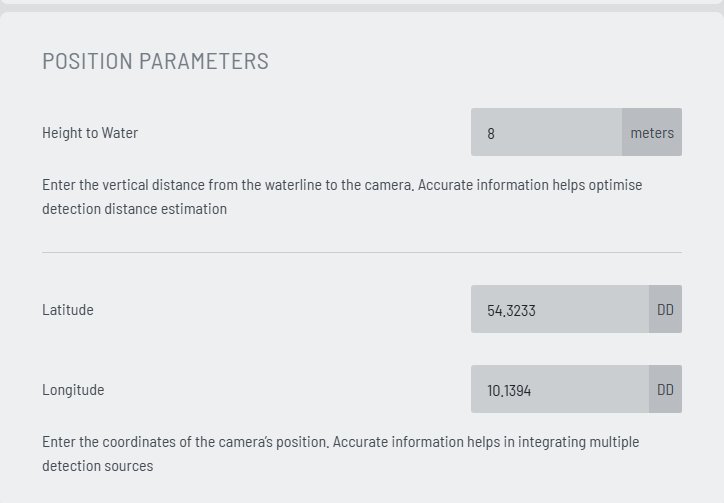
Land parameters
For Land Operation. Sentry has no boat data on land, so the installer enters its position and orientation.
- Height to Water: from the waterline to the camera, in meters.
- Latitude and Longitude: the GPS position of Sentry in decimal degrees (DD), for example
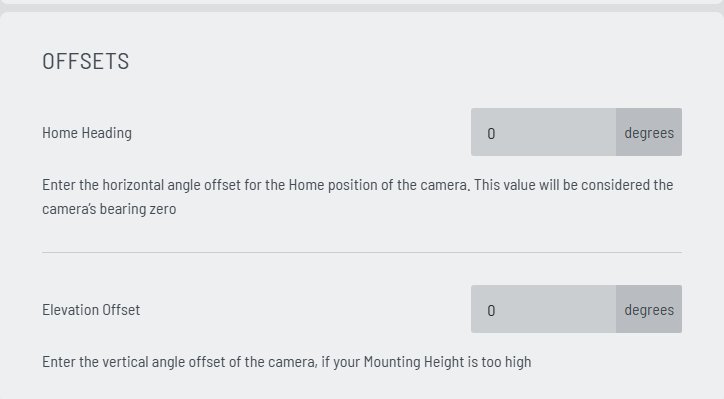
54.3233and10.1394. - Home Heading: the horizontal angle of the camera home position, in degrees. Sentry uses it as bearing 0.
- Elevation Offset: the vertical angle of the camera, in degrees. Only if Sentry is mounted very high.
Enter the position in Settings › Setup › Position Parameters. Set Home Heading and Elevation Offset in Settings › Setup › Offsets.
Then run the camera diagnostic (see Obstruction mask below). Area Surveillance needs the panorama it takes.
Only the installer can switch between Vessel and Land Operation. After the switch, Sentry starts in Camera Control.
Without a correct position and Home Heading, bearings, the map and the sectors are wrong. See Land Operation.
Obstruction mask
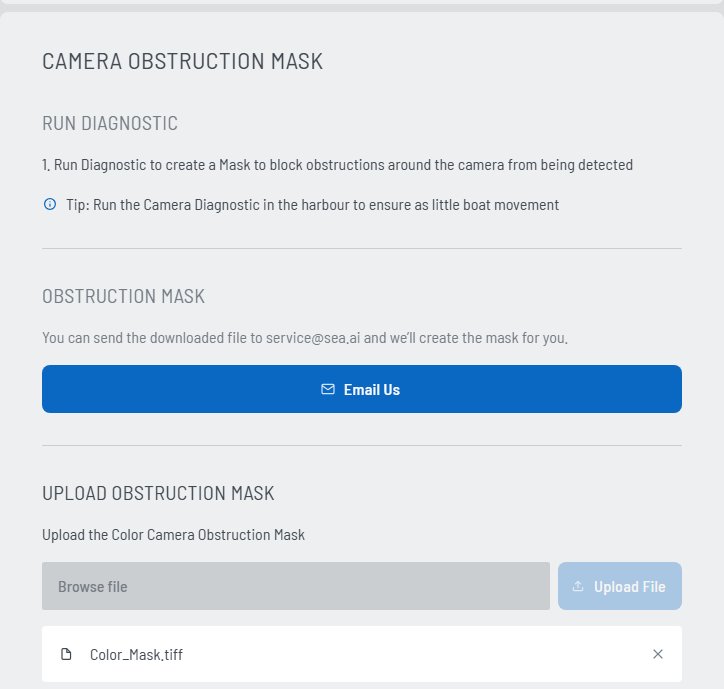
Masts, antennas or buildings in view can cause false alarms. A mask hides them from the AI. Run the diagnostic in calm water, for example in the harbour, so that Sentry moves as little as possible.
- Log in as installer.
- Settings › Setup › Camera Obstruction Mask › Run Diagnostic. Sentry turns all around. This takes up to 20 minutes.
- Select Download Camera Diagnostic.
- Select Email Us and send the file to
service@sea.ai. SEA.AI sends you two masks:Color_Mask.tiffandThermal_Mask.tiff. - In Upload Obstruction Mask: Browse file › Upload File, once for the color mask and once for the thermal mask.
- Check it: switch on Show Camera Mask.