- Switch on. Wait up to 3 minutes. Open the app (see Connect and get started).
- Activate with the Product Key, or log in as installer.
- Enter mounting height and distance to bow.
- Align the camera.
- Create the obstruction mask, if boat parts are in view.
Log in as installer
Settings › Setup › Login As Installer. SEA.AI service gives you the password. Leave SERVICE MODE with the arrow at the top.
Mounting height
Measure from the waterline to the camera, in meters. Distance estimation depends on it.
Distances on screen
Horizon is at
Move the slider to 6 m. Distances appear below each detection.
Below 6 m mounting height, the app shows no distances. From 6 m, it shows the distance below each detection.
Align the camera
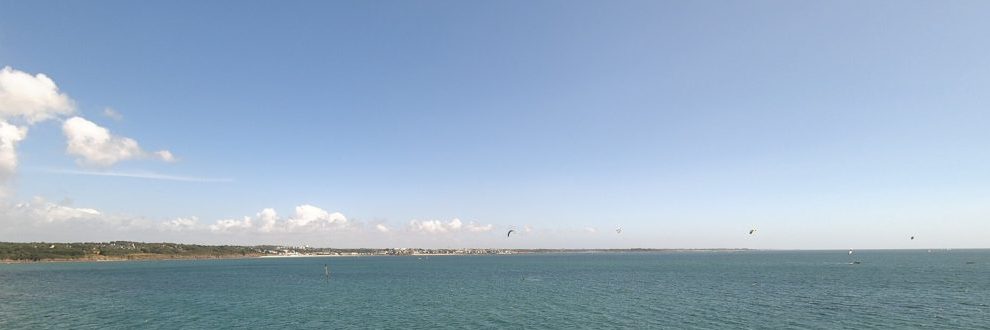
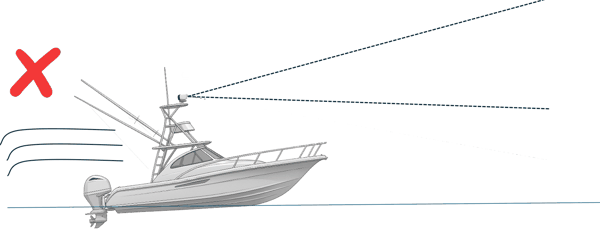
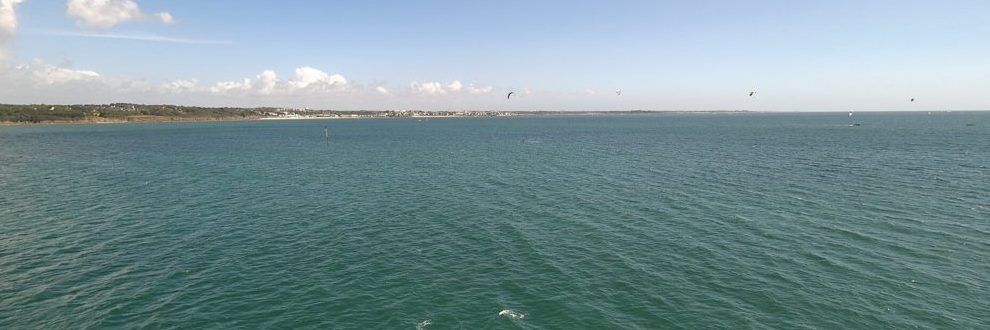
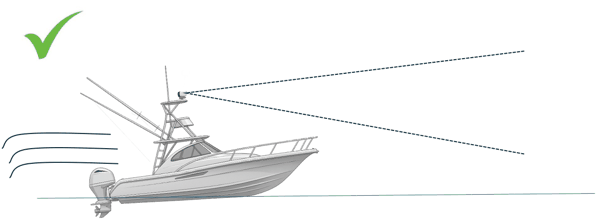
Put the horizon about one-third from the top of the color image. Check it at cruising speed: the bow rises and the camera looks higher.
Obstruction mask
A mast or antenna in view can cause false alarms. A mask hides it from the AI.
- Log in as installer. Go outside the harbour.
- Settings › Setup › Camera Obstruction Mask › Download Camera Diagnostic.
- Send the file to
service@sea.ai. SEA.AI creates the masks. - Upload one mask for each camera.